
Brilliant: Learn Math & Coding
Brilliant.orgEducation
4.56.70K Reviews
- Version
- 10.12.0
- Installs
- 5.00M
- Age Rating
- Everyone
Screenshots
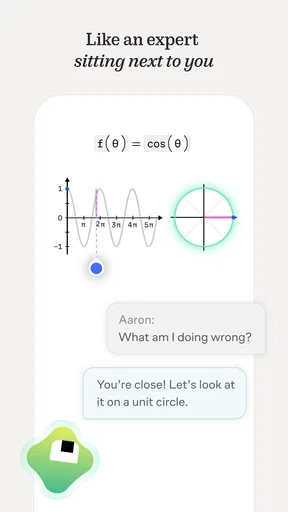
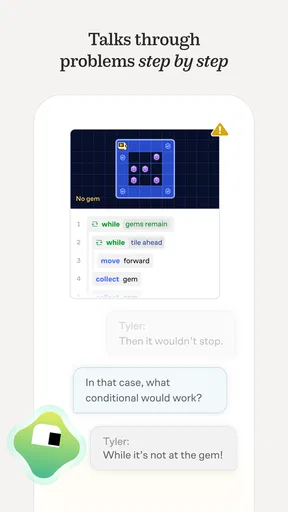
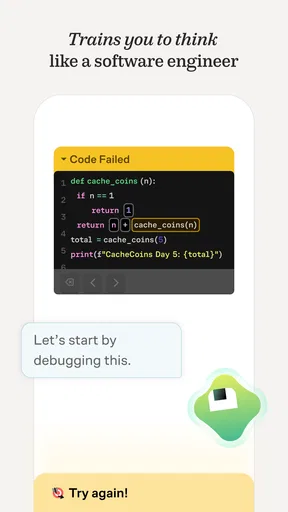
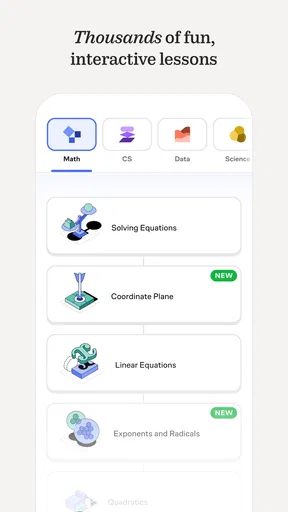
Our Review of Brilliant: Learn Math & Coding
 Analysis by Appyee
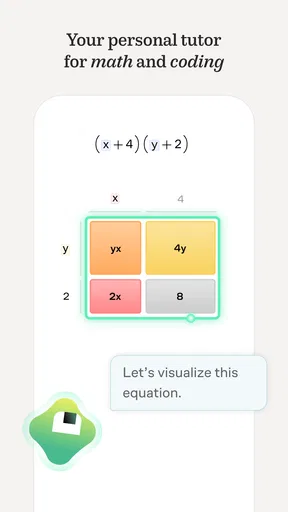
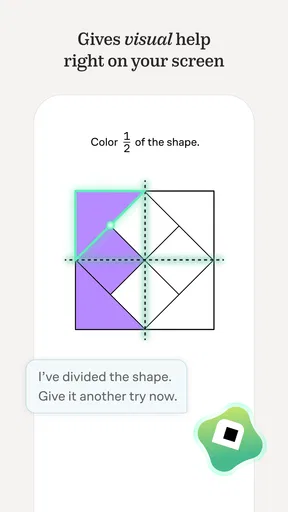
I find Brilliant easiest to understand as a practice-first learning app: it asks you to work through ideas rather than sit back and watch a long lesson. That can be a welcome change if you want to build confidence in math or coding, but it also means the experience depends on being ready to pause, think, and try an answer. In my view, it works best as a regular learning habit, not as a quick reference when you need one fact immediately.
Who benefits most from its problem-first approach?
I would point curious learners, students who want extra practice, and adults returning to technical subjects toward Brilliant. Its guided lessons can help make an unfamiliar idea feel approachable by giving you a concrete problem to work on. The format is especially useful when you already know a little about a topic but want to understand why a method works, rather than simply memorize a procedure.
It is less suitable if you need a complete school curriculum, a formal qualification, or a teacher who can diagnose your work and respond personally. I would also choose a conventional textbook or a searchable reference when I need to look up a formula quickly. Brilliant is designed around learning through participation, so it asks for more attention than a short video or a quick explainer.
Making a short session count
A realistic use for me would be opening a lesson during a quiet part of the day, solving a few problems, and stopping when I can explain the central idea in my own words. That last step matters: getting an answer right is not always the same as understanding the reasoning. I would jot down a confusing step or a question to revisit later, rather than rush through several lessons just to feel productive.
For coding practice, I would treat each session as a way to sharpen reasoning, not as a replacement for building and debugging a larger project. Likewise, math learners can use the app to strengthen conceptual thinking, then bring that understanding to homework or a course. The useful trade-off is focus: one interactive problem can demand more thought than a page of passive reading, but it may cover less ground in the same amount of time.
Where it sits among learning options
Compared with video lessons, Brilliant gives you a more active role; you need to make decisions instead of just following an explanation. Compared with textbooks, it can feel more immediate and guided, though a book may be better for scanning, annotating, or checking a broad topic at a glance. It also differs from a general question-and-answer forum: seeing how other learners approach a problem can be helpful, but discussion is not the same as individual tutoring or an expert reviewing your personal learning plan.
That distinction helps set expectations. If I want to explore a concept and test my understanding, the interactive format is appealing. If I need a structured course with external assessment, detailed feedback on my own work, or a comprehensive reference, I would pair it with another resource instead of expecting one app to do everything.
Cost, commitment, and what to check
Brilliant is a free education app from Brilliant.org, with a 4.5 average from around 106,000 ratings and more than five million installs. The free starting point gives you a way to see whether its style suits you, while in-app purchases range from $0.99 to $249.48 per item. I would explore the available learning experience before paying, and check the current purchase details carefully so the cost matches what I actually intend to use.
The app is rated for Everyone, but that does not mean every lesson will feel equally easy or engaging for every age. A younger learner may benefit from an adult helping them choose topics and keep a steady routine; an independent adult may prefer to set a small goal and work through lessons alone. It was released on March 21, 2014, and version 9.25.0 lists a minimum operating-system requirement of 7.1, so I would check device compatibility before installing on an older device.
When it comes to learning, we all know that theory is just half the battle. Getting hands-on and diving into practical problems can make a world of difference, and that's exactly where Brilliant: Learn by Doing shines. I've spent some quality time with this app, and let me tell you, it’s like a playground for your brain!
First Impressions: Interface and User Experience
First things first, let’s talk about the interface. When I opened Brilliant: Learn by Doing, I was immediately struck by how clean and intuitive everything felt. The designers clearly prioritized a user-friendly experience, making navigation through the app a breeze. The color scheme is easy on the eyes, and the layout is straightforward, guiding you effortlessly from one lesson to the next. It’s one of those apps where you don’t need a tutorial to figure out how to use it, which is always a plus in my book.
Learning Content: What’s on Offer?
Now, onto the meat of the app—the learning content. Whether you're passionate about math, science, or computer science, Brilliant has you covered. Each subject is broken down into bite-sized courses, which means you can learn at your own pace without feeling overwhelmed. I took a deep dive into their math section, and I have to say, the blend of theory and practical problems really kept me engaged. It’s like having a personal tutor right in your pocket.
What really sets Brilliant apart is its interactive approach. Instead of just reading through pages of text, you’re solving problems, which helps reinforce what you've learned. The app challenges you to think critically and apply concepts in real-world scenarios, which is a refreshing change from traditional learning methods.
Community and Collaboration
One of the standout features for me was the community aspect. Brilliant isn't just a solo venture; there’s a whole network of learners you can tap into. Whether you’re stuck on a problem or just want to discuss concepts, there’s a space for collaboration. I found it incredibly helpful to see how others approached the same problems, offering new perspectives and insights I hadn’t considered.
This collaborative element makes the app feel more like a community rather than just a learning tool. You’re not alone on your learning journey, and that’s a comforting thought.
Accessibility and Usability
In terms of accessibility, I was pleased to see that Brilliant is available on both iOS and Android devices, ensuring a wide reach. The app runs smoothly and I didn’t encounter any glitches, which is crucial for maintaining that seamless learning experience. Plus, the offline mode is a lifesaver for those moments when you don’t have a stable internet connection but still want to get some learning done.
The app does offer a free version, which allows you to explore some of the content and get a feel for the platform. However, to unlock all the features and courses, a subscription is necessary. Honestly, considering the depth and quality of content available, it's a worthwhile investment for anyone serious about enhancing their knowledge.
Readability, navigation, and different ways of learning
The simple layout described above is more than a matter of appearance: it helps keep attention on the question in front of you. I like that the learning path feels approachable for someone who may not know where to begin. Still, clear navigation cannot make every lesson equally easy. A learner who needs large print, adjustable contrast, screen-reader support, or a different way to interact should test the app on their own device before relying on it as a main study tool.
Interactive problems suit people who learn by trying and correcting, while readers who prefer to absorb a full explanation first may find the pace less comfortable. I would give a lesson a fair trial rather than judge the whole app from one difficult question: a challenge can be productive, but repeated confusion without a way to clarify the step can become discouraging. The best signal for me is whether each prompt leaves me with a clearer idea, not whether I finish quickly.
Motor and sensory considerations
Because learning involves answering questions, the app asks for active interaction rather than uninterrupted listening or reading. That is a strength for practice, but it can be a barrier for someone who finds precise touch input tiring, has limited hand mobility, or needs frequent breaks. I would try a short session first and notice whether the response controls feel comfortable; there is little value in setting an ambitious daily target if the interaction itself becomes uncomfortable.
Sensory preferences matter too. A person who concentrates best in a quiet setting may enjoy working through a single problem, while someone sensitive to bright screens or visual density may need to adjust their device settings or choose a different study moment. Those adjustments can help, but they do not guarantee that every lesson will suit every learner. I would treat personal comfort as part of the learning plan, not as an afterthought.
When and where it fits
Brilliant can fit into a calm break at home, a commute with a reliable connection, or a few minutes between other tasks. The problem-solving format makes a small session feel purposeful, but it is not ideal for every fragment of spare time: if I am distracted, rushing, or likely to be interrupted, I may remember little of what I attempted. I get more from choosing one focused window than repeatedly opening a lesson while multitasking.
For a learner sharing a device or studying in a busy household, a practical routine could be to pick a topic in advance, use a quiet spell to work through a manageable portion, and return later with a specific question in mind. That makes it easier to distinguish a genuine learning difficulty from a setting that simply does not support concentration. If a session depends on dependable access, I would check the app’s current behavior on my device before planning around offline study.
Remaining barriers and a fair trial
The biggest limitation is that guided practice is not the same as personal instruction. A learner can benefit from seeing other approaches, as the community section suggests, but that does not ensure someone will explain a particular mistake at the moment it happens. If I repeatedly get stuck, I would use a textbook, class notes, or a human tutor to fill the gap rather than keep guessing. The app works best as one part of a learning routine, not as a universal replacement for every kind of support.
There is also a commitment question. A free entry point makes it easier to try the style, but anyone considering an in-app purchase should decide what they want to learn first and check the purchase terms before committing. I would avoid paying simply because I enjoyed one lesson; a good test is whether I can picture returning to the format for a specific goal over time. That keeps the decision grounded in actual use rather than enthusiasm after a single session.
Final Thoughts: Is It Worth It?
So, would I recommend Brilliant: Learn by Doing? Absolutely. It’s a fantastic tool for anyone looking to deepen their understanding of complex subjects in an interactive and enjoyable way. The app manages to make learning fun, which is no small feat. Whether you're a student, a professional, or just a curious mind, there's something here for everyone.
In a world where continuous learning is becoming more and more important, having an app like Brilliant at your fingertips is invaluable. It’s not just about acquiring knowledge; it’s about developing a mindset of curiosity and exploration. Give it a try—you might just find yourself looking forward to tackling those challenging problems!
An inclusive verdict
My overall recommendation is positive, with a useful qualification: Brilliant is most welcoming when its interactive style matches how you like to learn and how comfortably you can use your device. The short, guided problems can make math and coding feel less intimidating, and the free starting point gives you room to judge the approach before deciding whether to spend money. I would recommend it to a curious learner who wants active practice and is comfortable supplementing an app when a concept needs another explanation.
I would hesitate to make it someone’s only learning resource if they need tailored instruction, formal assessment, a broad reference to scan, or a more accessible interaction style than their device currently provides. For everyone else, the practical test is simple: try a lesson when you can focus, notice whether the prompts help you reason rather than guess, and decide from that experience. If the format leaves you wanting to solve one more problem, Brilliant may become a genuinely enjoyable part of your learning routine.
Verdict
Strengths of Brilliant: Learn Math & Coding
- Interactive learning modules enhance understanding.
- Wide range of subjects available for exploration.
- User-friendly interface with intuitive navigation.
- Regular content updates keep material fresh.
- Offline access available for learning on the go.
Limitations of Brilliant: Learn Math & Coding
- Limited free content; subscription required for full access.
- Some topics lack in-depth explanation.
- Requires internet for initial content download.
- No formal certification upon course completion.
- Not suitable for advanced learners in all subjects.
Similar Picks in This Category
View All
Duolingo: Language Lessons
Duolingo4.7

Google Classroom
Google LLC2.8

Unacademy: Learn & Crack Exams
Unacademy3.2

Bible App for Kids
Life.Church4.4

Cake - Learn English & Korean
Cake Corp.4.7

Brainly: AI Homework Helper
Brainly4.5
Frequently Asked Questions
What is Brilliant: Learn by Doing?
Brilliant: Learn by Doing is an educational app designed to enhance your problem-solving skills through interactive learning. It covers a wide range of subjects including math, science, and computer science. The app encourages active learning by providing hands-on challenges and real-world scenarios to help users grasp complex concepts effectively.
Is Brilliant: Learn by Doing suitable for all age groups?
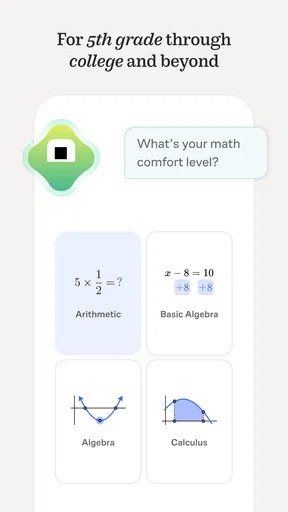
Yes, Brilliant caters to learners of all ages, from high school students to adults. Each course is designed to be approachable, with varying levels of difficulty to match different learning stages. Whether you're a beginner or looking to deepen your existing knowledge, you'll find content that suits your needs.
Does Brilliant require a subscription?
Brilliant offers both free and premium content. While you can access some introductory courses for free, a subscription is required to unlock the full range of interactive lessons and features. The premium version provides a richer learning experience with in-depth courses and additional practice problems.
Can I use Brilliant offline?
Brilliant primarily functions online to offer interactive features and updated content. However, the app does allow premium users to download some lessons for offline access, enabling you to learn on the go without an internet connection, which is especially useful during travel or in areas with poor connectivity.
How does Brilliant ensure the content is up-to-date?
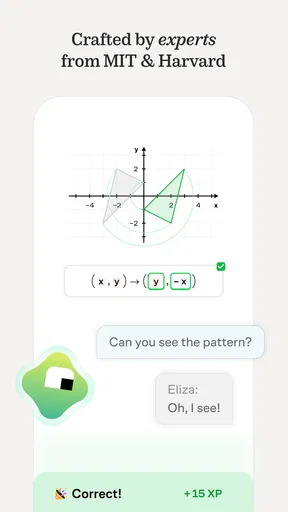
Brilliant collaborates with educational experts and continuously updates its content to reflect the latest academic standards and discoveries. The app regularly introduces new courses and revises existing ones to ensure that users are always learning the most relevant and current information available.
